
HubSpot Integration Setup Guide
This page explains how to connect and disconnect your HubSpot account with Ansera.
Install the HubSpot App
Follow the steps below to connect your HubSpot account with Ansera.
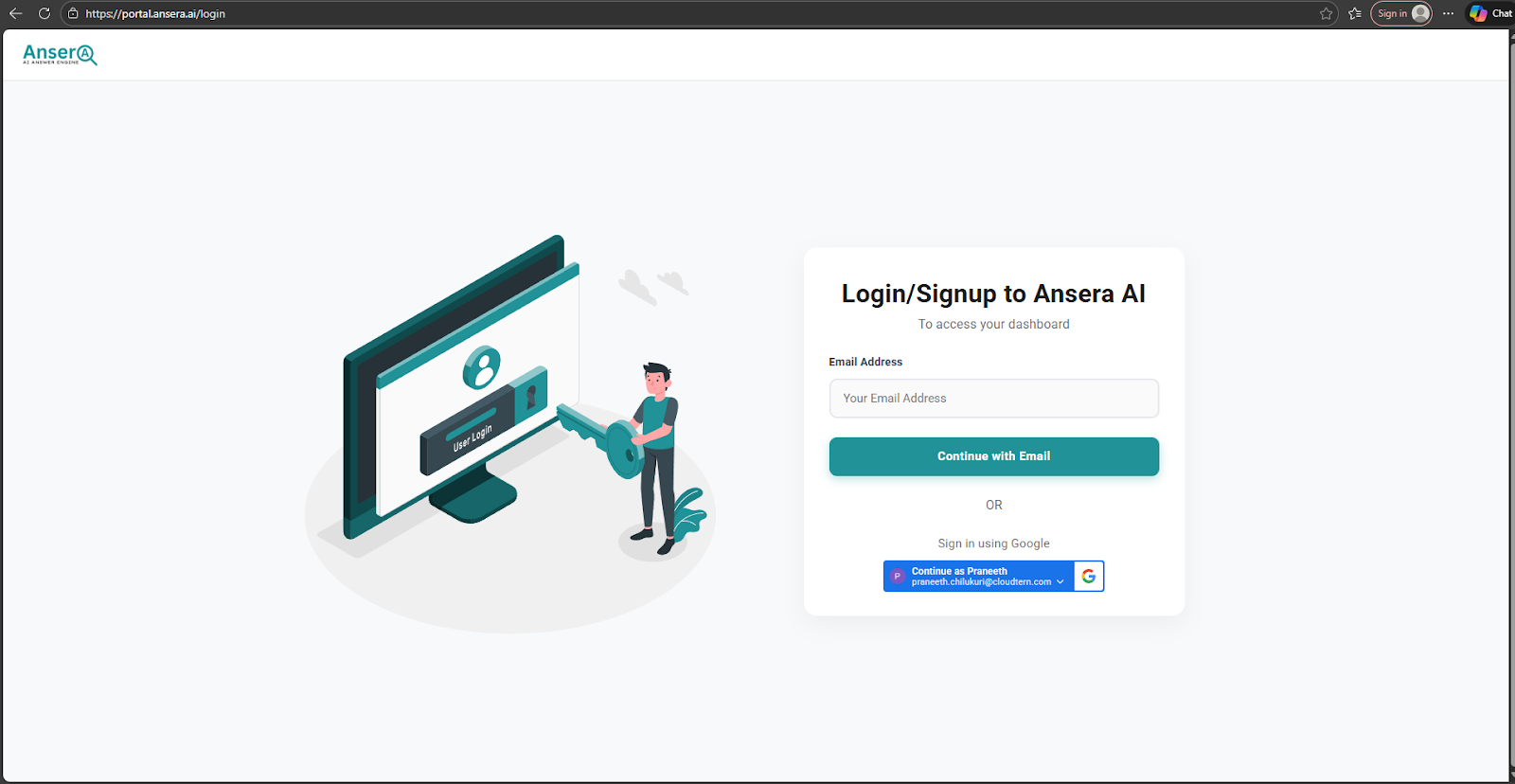
Step 1: Log in to Ansera
Visit https://portal.ansera.ai
Log in using your Ansera account credentials.
Step 2: Navigate to Integrations
- From the left sidebar, click Integrations
- Select the HubSpot tab
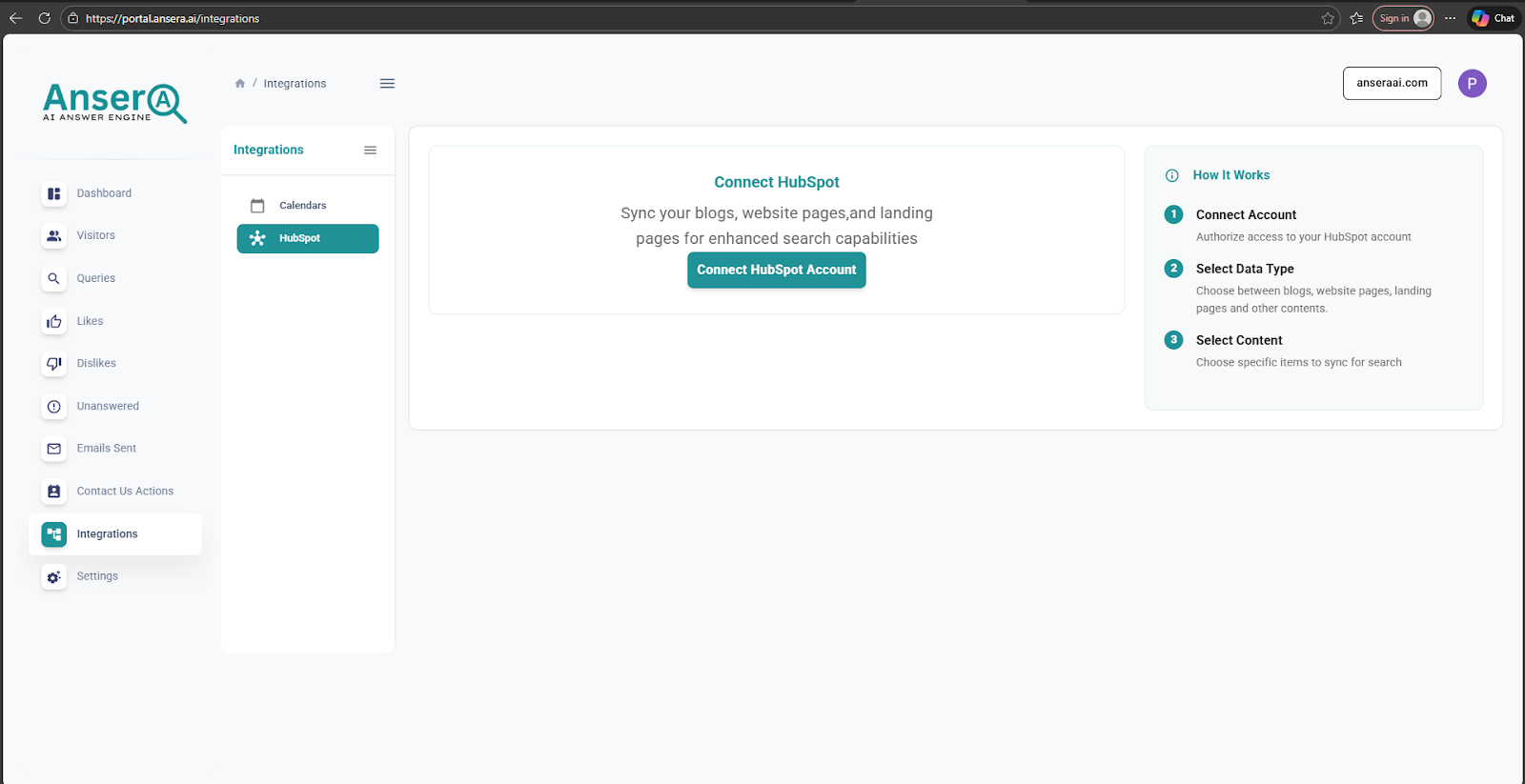
Step 3: Connect HubSpot
- Click the Connect HubSpot button
- A popup window will open displaying available HubSpot accounts
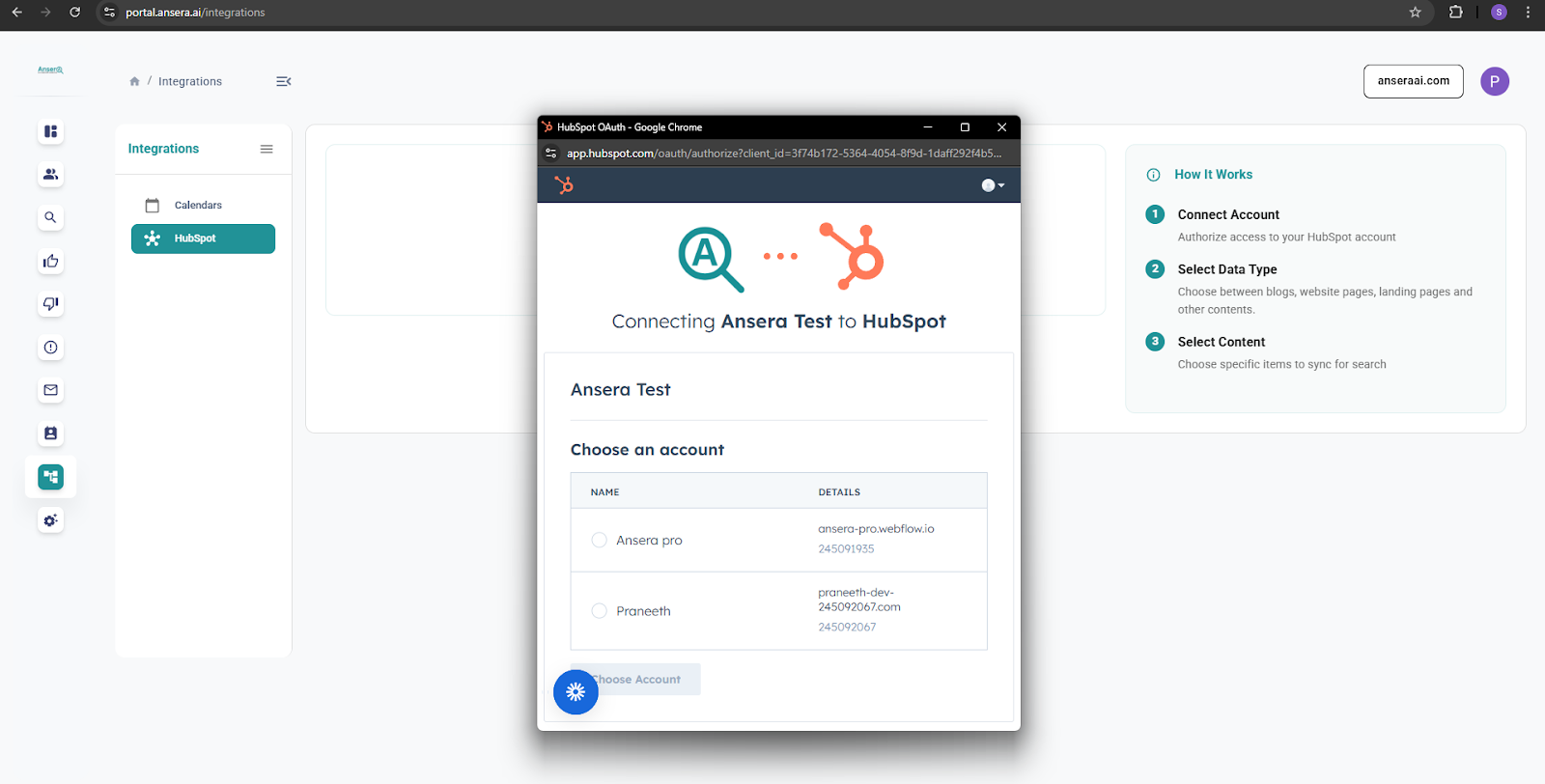
Step 4: Choose HubSpot Account
- Select the HubSpot account you want to connect
- Review the required permissions
- Click Connect app to authorize Ansera
Step 5: Configure and Select Content to Sync
- Choose content sync interval (1 day / 1 week / 1 month)
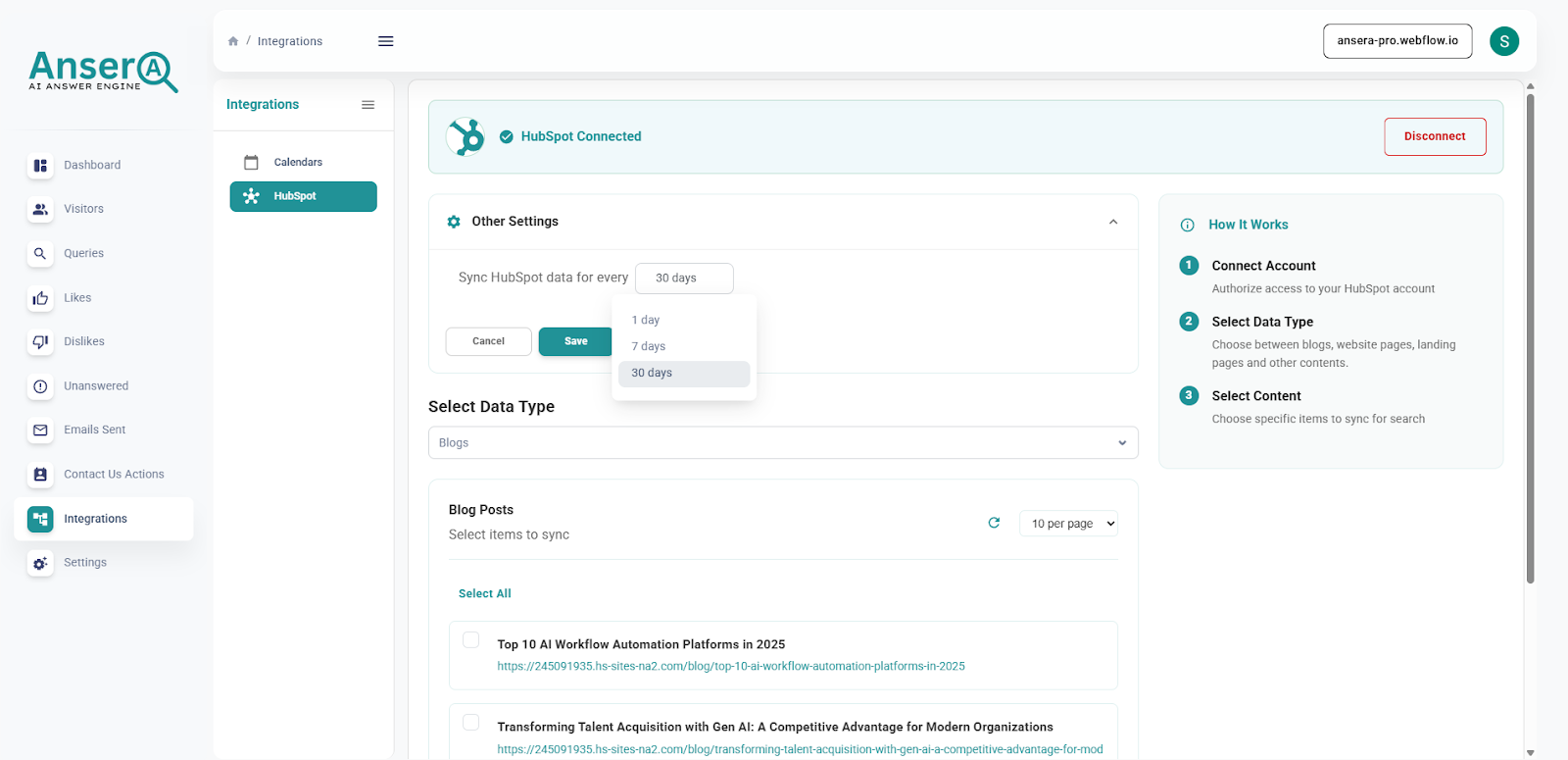
- Select the type of HubSpot content to sync:
- Website pages
- Landing pages
- Blogs
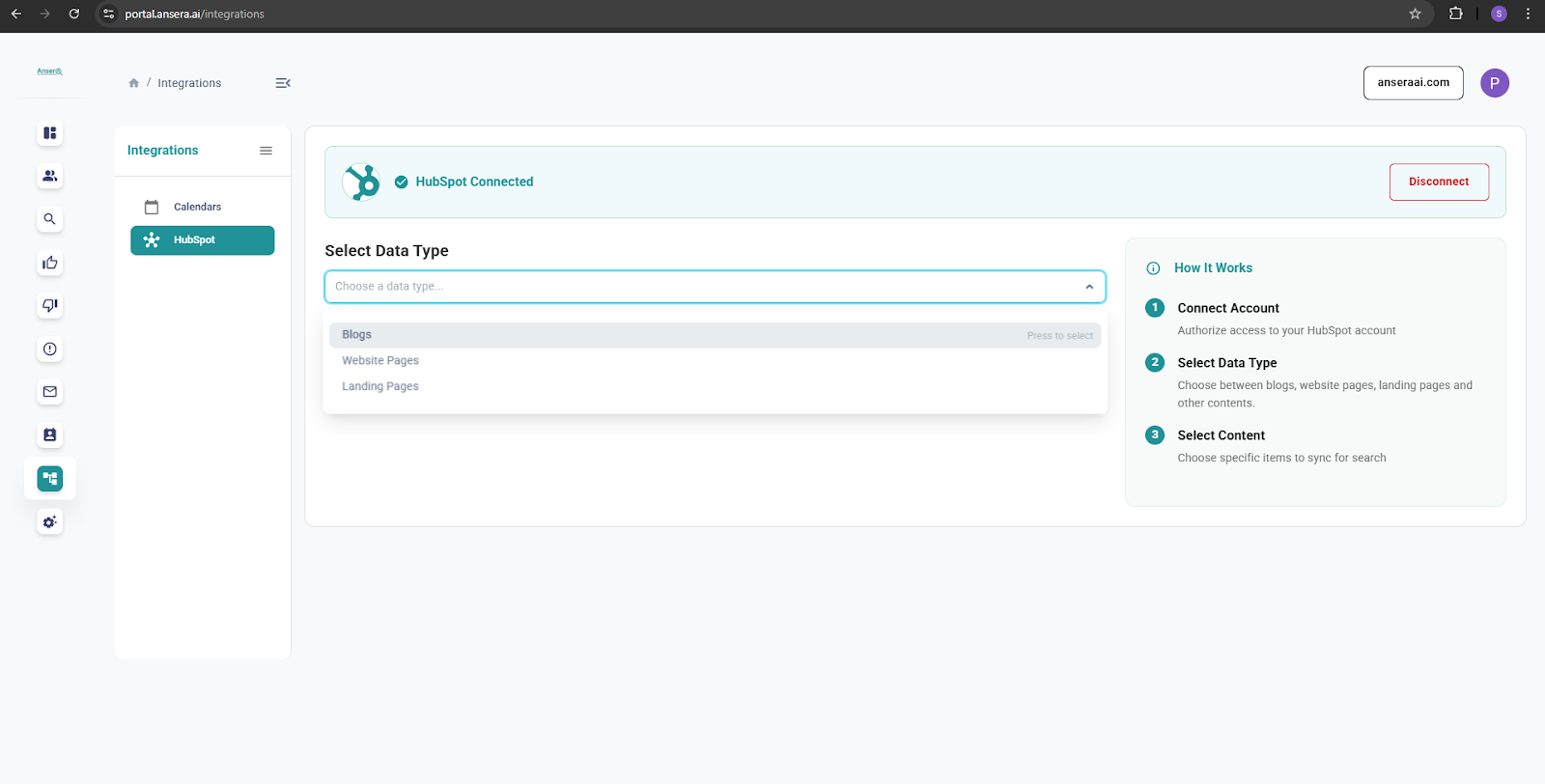
- Select specific content items
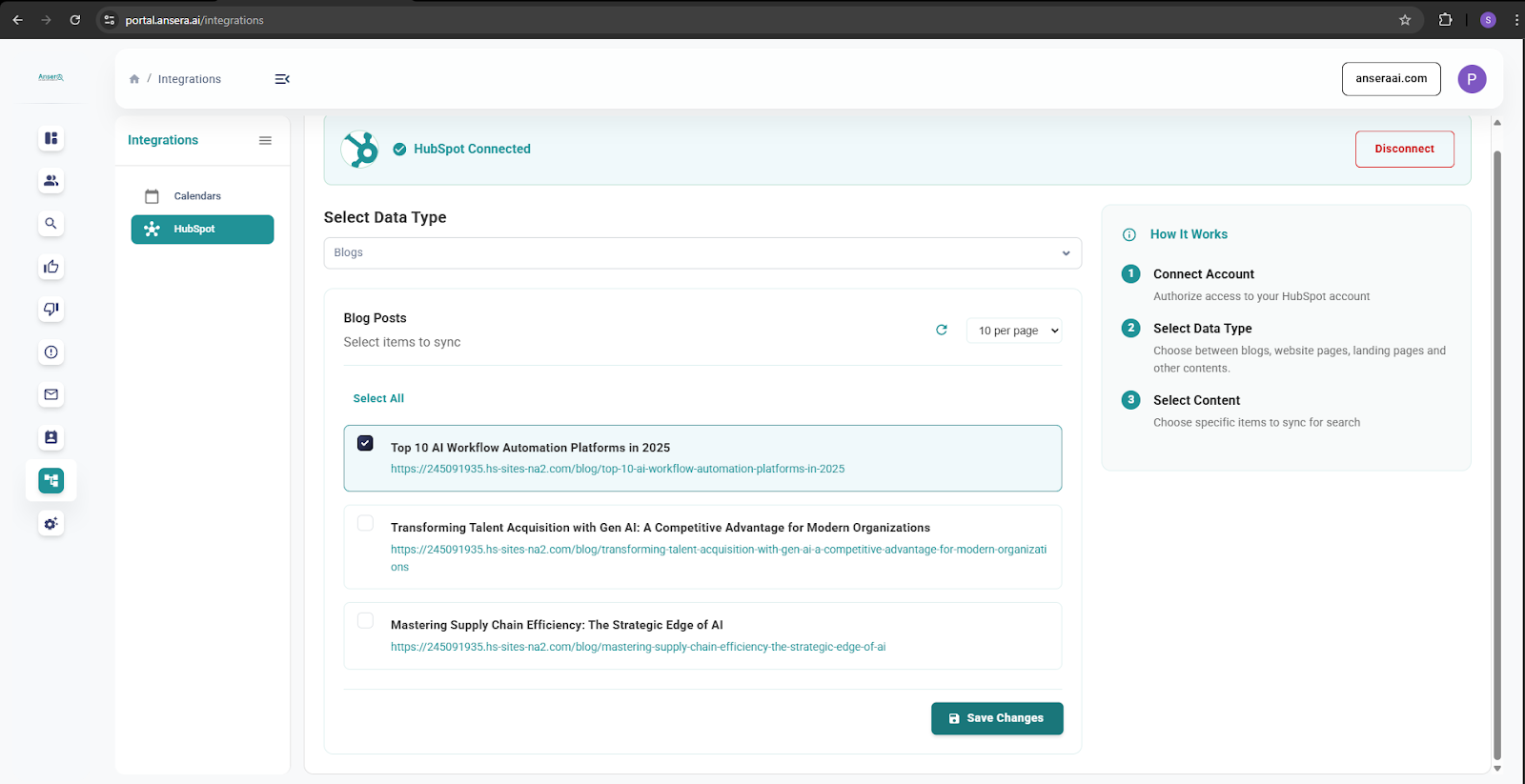
- Click Save Changes
Your HubSpot account is now successfully connected to Ansera, and the selected content will begin syncing.
Disconnect the HubSpot App
Step 1: Open HubSpot Integration
- Go to Integrations from the sidebar
- Open the HubSpot tab
Step 2: Disconnect Account
Click the Disconnect button at the top of the page. A confirmation dialog will appear.
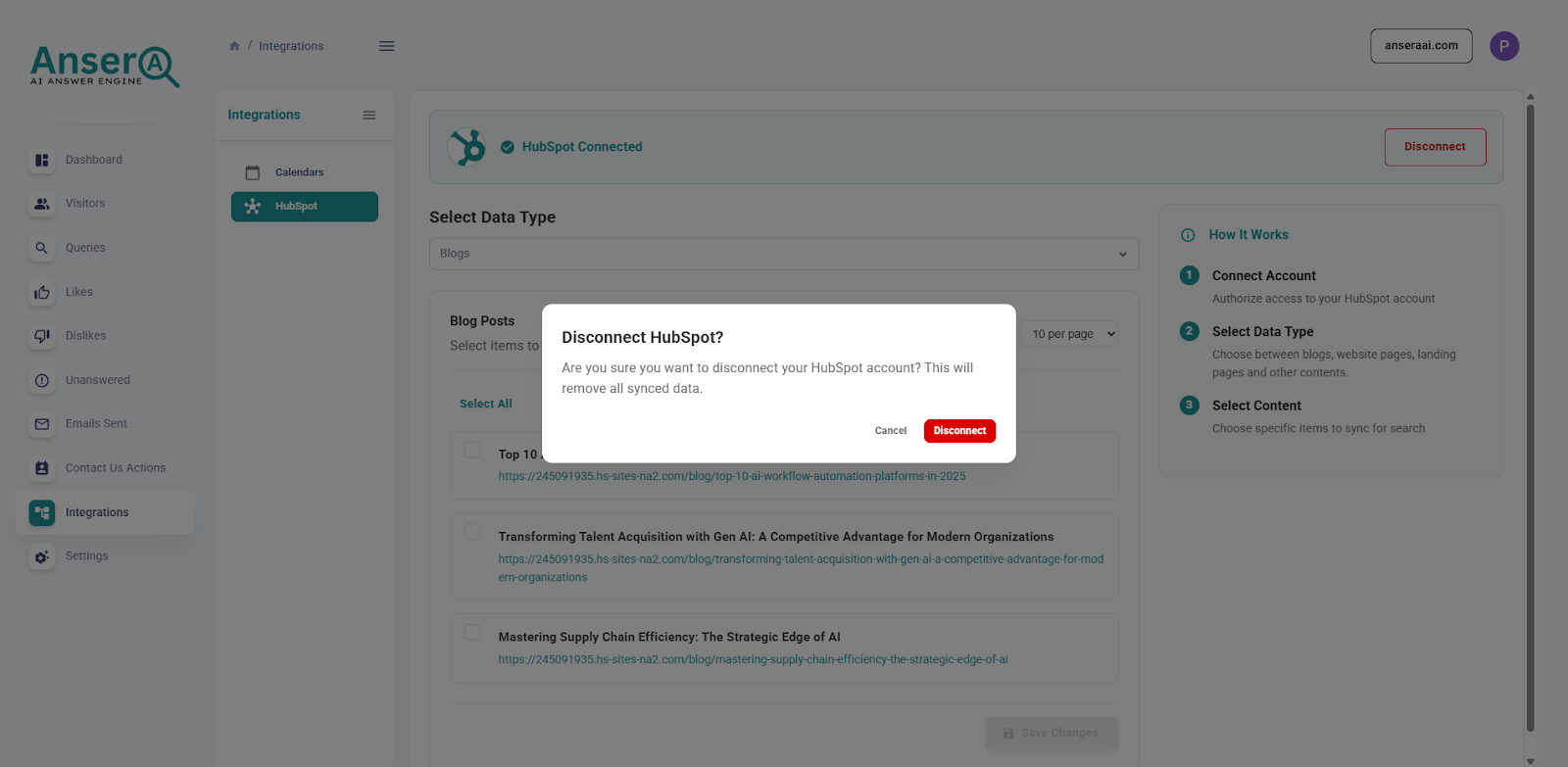
Step 3: Confirm Disconnection
Click Disconnect to proceed.
- Your HubSpot OAuth credentials are removed from Ansera
- Ansera no longer has access to your HubSpot content
- Content syncing stops immediately
Notes
- You can reconnect your HubSpot account at any time by repeating the installation steps.
- Ansera only accesses content explicitly selected by you during setup.